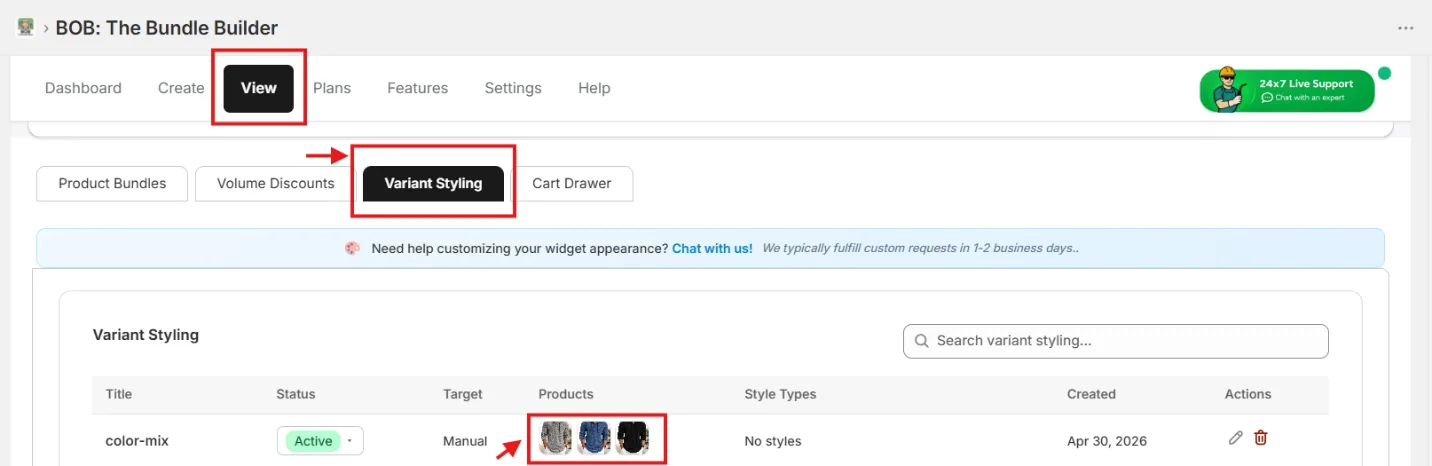
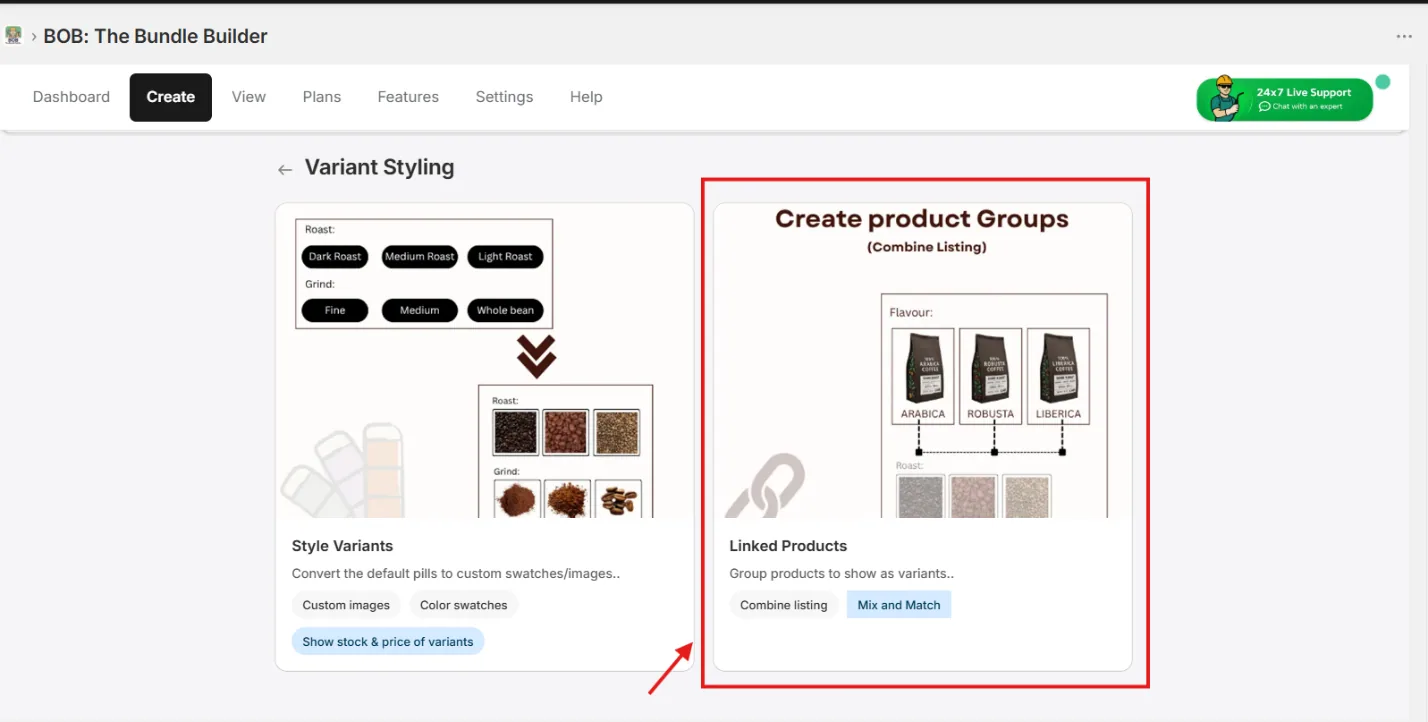
1. Open Combine Listing
From Create → Variant Styling → Combine Listing.
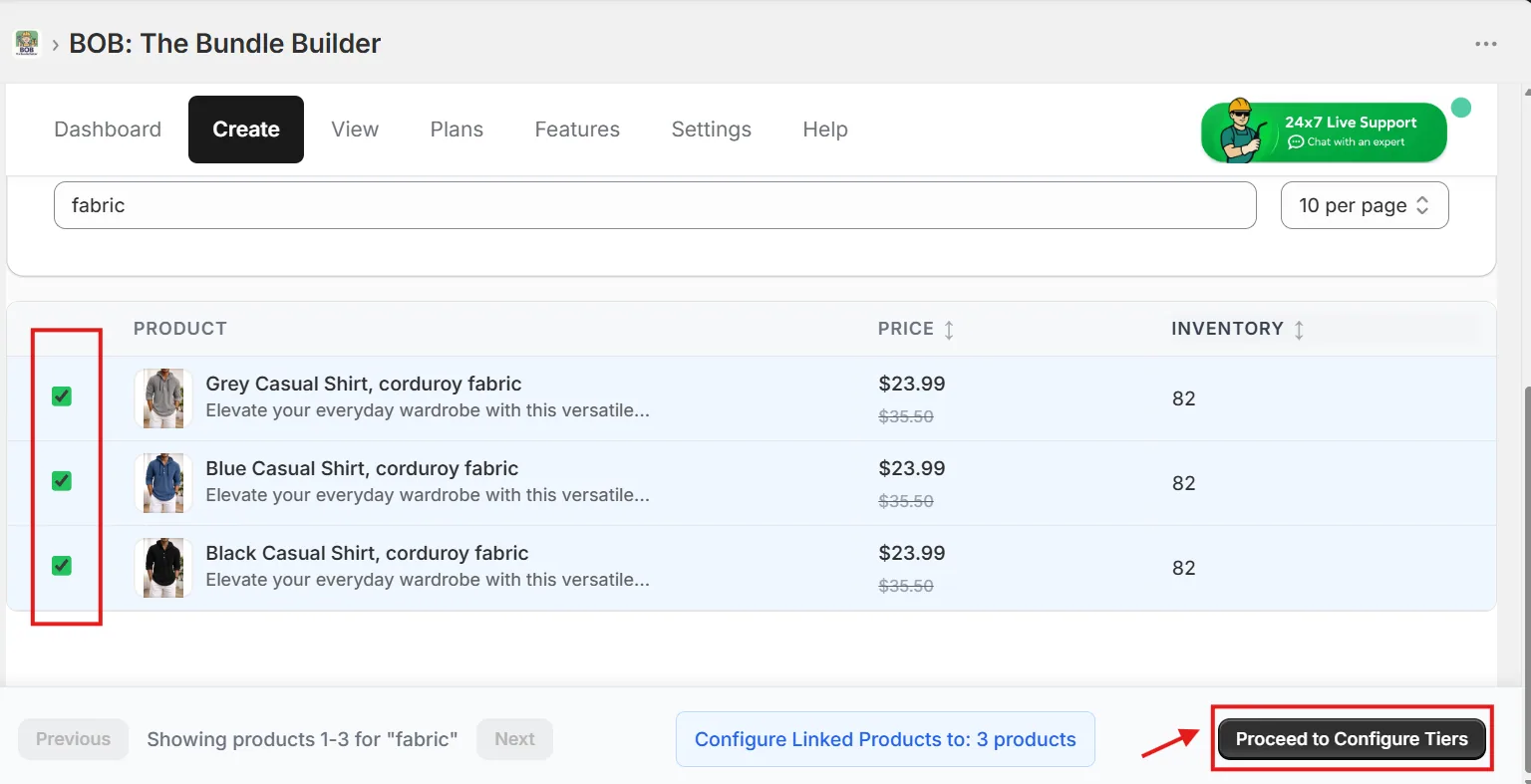
2. Select the products
Find and select all variant products in the table to combine-list them together.
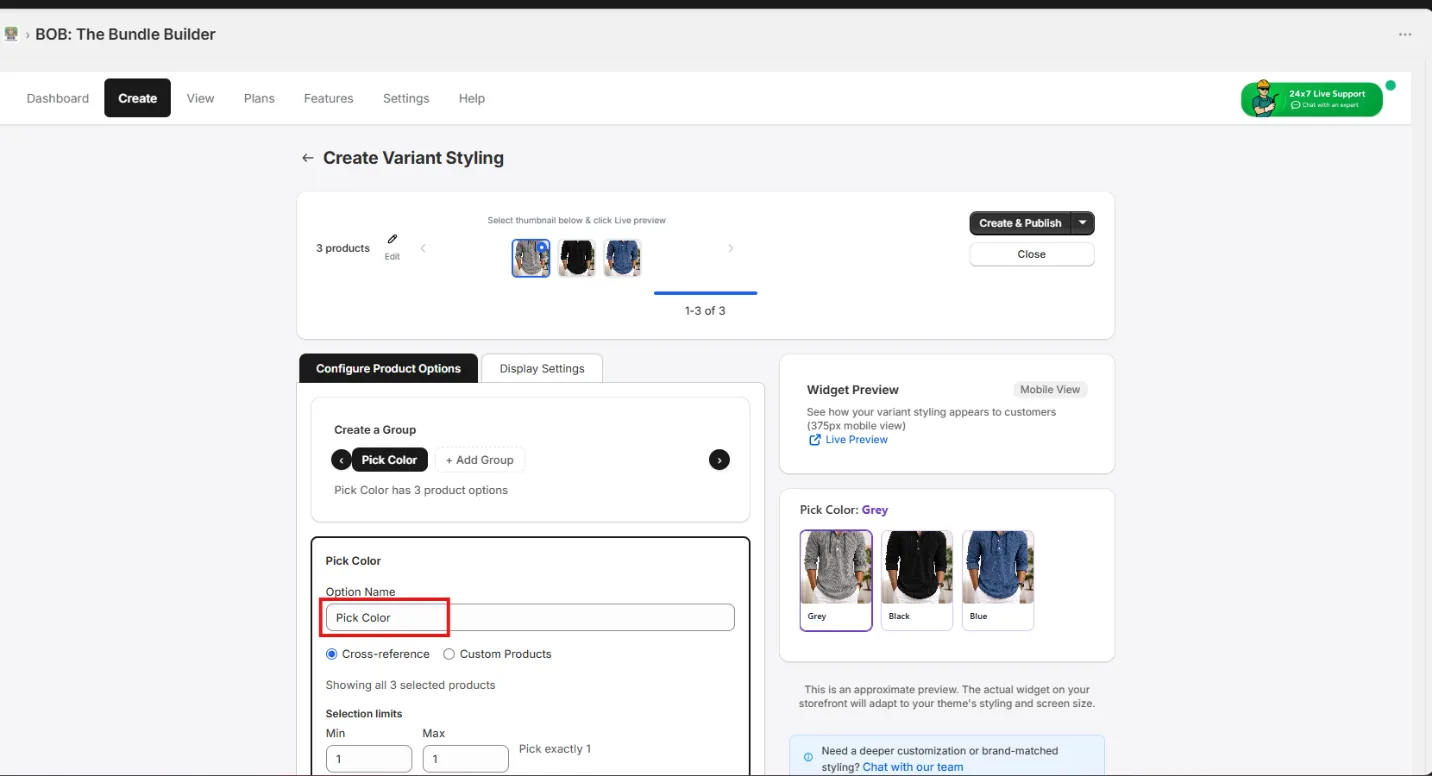
3. Set the variant title
Set the variant title for the chosen products group.
4. Choose a swatch template
From the Swatch Template picker, find the suitable product-options template.
5. Customize the display
Change the colors and thumbnail sizes to match your storefront theme.
6. Preview on the storefront
View your saved variant styling as below.